
Download Zomani – AI Writing Assistant, Free, Secure & Fast
What Is Zomani? A Comprehensive Overview
Zomani is a web‑based AI writing assistant that redefines how creators, marketers, and enterprises produce content. Built on state‑of‑the‑art language models, Zomani not only generates high‑quality text but also crafts realistic images, making it a truly “all‑in‑one” content studio. Whether you are a freelance blogger looking for a faster way to draft articles, a corporate communications team needing consistent brand messaging, or an e‑commerce manager wanting eye‑catching product visuals, Zomani scales to meet those demands.
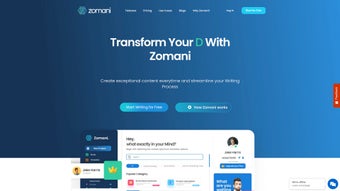
The platform’s intuitive dashboard lets you organize projects, collaborate in real time, and control version history—all without leaving the browser. A dedicated Chrome extension further extends Zomani’s reach, allowing you to draft emails, respond to client queries, and even generate short social posts directly from your inbox. Integrated publishing tools mean you can export documents as PDFs, push articles straight to WordPress, or share content on popular blogging platforms with a single click.
In short, Zomani merges the power of AI‑driven text and image creation with seamless workflow automation, delivering a secure, cloud‑based environment that boosts productivity while keeping your data private.
Core Features & AI Capabilities That Set Zomani Apart
- AI‑Generated Text: Produce blog posts, marketing copy, emails, and reports in seconds with customizable tone and style settings.
- AI‑Generated Art: Create realistic images, social‑media graphics, and product mock‑ups without leaving the platform.
- Customizable Business Chatbots: Build brand‑specific chat agents that can answer FAQs, collect leads, and assist customers 24/7.
- Seamless Tool Integration: Connect Zomani to HubSpot, Mailchimp, Trello, and more for automated workflow triggers.
- Real‑Time Collaboration: Invite team members, leave comments, and track changes on shared documents.
- One‑Click Publishing: Export to PDF, post directly to WordPress, or schedule content on major blogging platforms.
- Chrome Extension: Generate email drafts, reply suggestions, and short copy snippets while browsing.
- Secure Cloud Storage: All files are encrypted at rest and in transit, complying with GDPR and CCPA standards.
- Version Control & Audit Trail: Review every edit, revert to previous drafts, and maintain a full history for compliance.
- Multi‑Language Support: Write and translate content in over 30 languages with native‑level accuracy.
The breadth of Zomani’s feature set means you can replace a suite of separate tools—content management systems, graphic design apps, email assistants— with a single, secure subscription. Each module is designed to be modular, so you can start with the AI writing engine and later enable the image generator or chatbot builder as your needs evolve. The platform also offers a generous free tier that lets new users explore core functionalities before committing to a premium plan, making it an attractive entry point for startups and solopreneurs alike.
Installation, Setup & Compatibility – Getting Started in Minutes
Step‑by‑Step Installation
- Visit Zomani.com and click “Sign Up – Free.”
- Enter your email address, create a strong password, and verify your account via the confirmation link.
- Once logged in, follow the onboarding wizard to set your preferred writing style, brand colors, and default publishing destinations.
- Install the optional Chrome extension from the Chrome Web Store: search “Zomani AI Assistant,” click “Add to Chrome,” and grant the requested permissions.
- Import existing documents or start a new project directly from the dashboard. The platform automatically saves your work to the cloud.
Operating System Compatibility
Because Zomani is entirely web‑based, it runs on any modern browser regardless of operating system. Whether you are on Windows 10/11, macOS Ventura, Linux distributions, or even mobile platforms like Android and iOS (via Safari or Chrome), the experience remains consistent. The Chrome extension works on Windows, macOS, and Chrome OS, while a lightweight mobile web app ensures you can draft on‑the‑go from smartphones or tablets. All data syncs instantly across devices, so you never lose a draft.
Security & Updates
Zomani follows a continuous deployment model: updates are rolled out server‑side, meaning you always have the latest AI models and security patches without manual downloads. Data encryption, two‑factor authentication (2FA), and role‑based access controls protect sensitive content. For enterprises, admin dashboards allow granular permission settings and audit logs to meet compliance requirements.
Pros, Cons & Frequently Asked Questions
Pros
- All‑in‑one solution for text and image generation reduces tool sprawl.
- Highly customizable AI output—tone, style, language, and branding.
- Robust integration ecosystem with popular marketing and project‑management apps.
- Real‑time collaboration and version control enhance team productivity.
- Free tier available; premium plans are competitively priced.
Cons
- Advanced features (e.g., custom chatbots) are locked behind higher‑tier plans.
- Internet connection required; offline editing is not supported.
- Learning curve for the image generator may be steep for non‑designers.
- Some users report occasional latency during peak usage periods.
FAQ – Your Zomani Questions Answered
Is Zomani free to use?
Zomani offers a free tier that includes unlimited text generation, basic image creation, and collaboration for up to three users. Premium features such as advanced chatbot building and higher‑resolution image output require a paid subscription.
Can I export my content to WordPress automatically?
Yes. Zomani’s publishing module includes a one‑click “Publish to WordPress” button that uses the WordPress REST API. You can map categories, tags, and featured images before sending the post directly to your site.
Is my data safe on Zomani’s cloud?
All data is encrypted both in transit (TLS 1.3) and at rest (AES‑256). Zomani complies with GDPR, CCPA, and ISO‑27001 standards, and offers 2FA and role‑based access controls for additional security.
Do I need a powerful computer to run Zomani?
No. Because the AI processing occurs on Zomani’s servers, any device capable of running a modern web browser (including low‑spec laptops and tablets) can access full functionality.
How does the Chrome extension improve my workflow?
The extension adds a sidebar in Gmail and other web‑based email clients, allowing you to generate drafts, rewrite sentences, or create short marketing snippets without opening a new tab. It also works on any text field, making it handy for quick social‑media posts.
Overall Rating: 4.5/5 – Zomani delivers a powerful blend of AI writing and image generation, ideal for modern content teams seeking speed and creativity.
Final Verdict – Should You Download Zomani Today?
If you’re looking for a secure, cloud‑native solution that handles both copywriting and visual creation, Zomani is one of the most compelling options on the market. Its generous free tier lets you test the core AI engine, while the premium plans unlock enterprise‑grade collaboration, custom chatbot workflows, and high‑resolution image rendering. The platform’s seamless integrations and Chrome extension further eliminate the need for multiple disjointed tools, saving both time and budget.
Although offline usage isn’t possible and some advanced capabilities require a higher‑priced subscription, the overall value proposition remains strong for freelancers, small businesses, and large marketing departments alike. Ready to supercharge your content pipeline? Download Zomani now and experience AI‑driven creativity without the hassle.



.png)



